zenpage
Missed appointments: 6 levers to reduce no-shows at the practice
Reminders, confirmation, cancellation rules, waiting list: the simple methods that lower missed appointments for independent therapists.
An empty slot that wasn't cancelled is an hour of work lost, and often a waiting-list client who could have come. For an independent therapist, a few no-shows a month quickly weigh on revenue. The good news: most missed appointments aren't a matter of ill will, but of forgetting or a conflict that was too complicated to report.
Here are six concrete levers, from the simplest to the most structuring.
1. An automatic reminder the day before
It is the most effective lever, and the easiest to set up. A message sent the day before recalls the time, the place (or video link) and how to cancel. The client with a conflict warns you instead of not showing up, and you recover the slot.
This reminder shouldn't depend on your memory: if it has to be sent by hand, it will end up forgotten in busy weeks. A booking tool that sends it on its own is the minimum. We detail this point in our guide to choosing your online calendar well.
Date and time, address or link, session length, a link to cancel or move, and a personal sentence. Avoid reminders that are too long: the essentials should be readable in the messaging preview.
2. A clear confirmation right at booking
The first message counts as much as the reminder. Right at booking, the client should receive an email summarizing the appointment and announcing your cancellation rules. An appointment confirmed in black and white is a stronger commitment than a slot noted in passing during a call.
3. Make cancelling easy
It's counterintuitive, but simplifying cancellation reduces no-shows. A client who has to call during your sessions, reach voicemail and call back often ends up doing nothing. If they can cancel or move in two clicks from the email, they do, and the slot is freed in time.
4. Display a cancellation rule
A simple rule, announced before booking, changes behavior: for example, any session not cancelled 24 or 48 hours in advance is due. You don't have to apply it to the letter at the first oversight, but its existence is often enough to build accountability.
- Display it on your website, near the booking button.
- Repeat it in the confirmation email and in the reminder.
- Stay consistent: a rule applied randomly loses its force.
5. Prepare the session in advance
A client who has received a few tips before their session (what to bring, how to prepare, a questionnaire to fill in) has already projected themselves into the appointment. They are less likely to forget it. It is also a real plus for the quality of the first consultation.
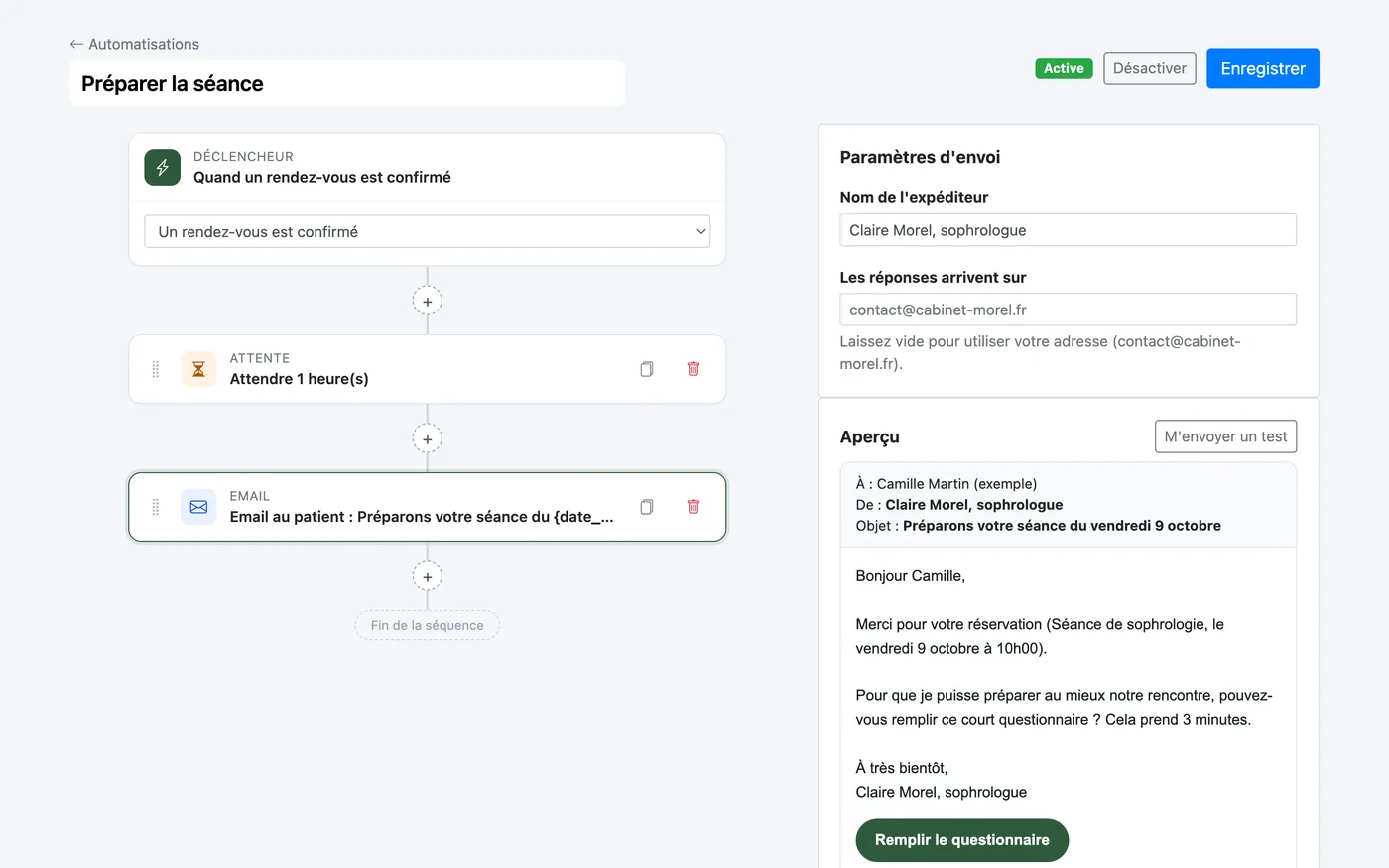
With Zenpage, the "Prepare the session" template sends this message automatically after confirmation. You can attach a link to an external form (Tally, Google Form).
6. Keep a waiting list
Even with good reminders, last-minute cancellations happen. A short list of clients available at short notice lets you fill the slot. Note who wants to be notified if a place opens, and contact these people as soon as a cancellation comes in.
What to remember
No-shows go down when the appointment is recalled at the right time, when cancelling is easy and when the rules are clear from the start. All of this can be automated: once the messages are written, they go out on their own, at every appointment.
To go further, also see what a therapist's website should contain: a clear page on your rates and conditions also limits misunderstandings.
Frequently asked questions
What is the best time to send an appointment reminder?
The day before, in the late afternoon, works well for most clients: early enough to warn of a conflict, late enough for the appointment to stay in mind. For a first session, a second message a few days before can be added.
Should you charge for missed appointments?
It's possible if the rule is announced before booking (on your website and in the confirmation email) and applied consistently. Many practitioners choose a tolerance for a first oversight.
Are SMS reminders more effective than email?
SMS is read faster, email lets you add information (address, access, preparation). With Zenpage, email is included; SMS goes through your Twilio account, billed directly by Twilio.
How do I set up automatic reminders with Zenpage?
In the Automations menu of your admin, activate the "Day-before reminder" template or create your sequence. The details are in the documentation.